When it comes to ensuring that battery-operated devices perform reliably, understanding "how to test if a battery is still good" becomes crucial. According to Dr. Emily Carter, a leading expert in battery technology, "A simple test can reveal the true health of your battery." This insight emphasizes the importance of regular checks for both safety and performance.
Batteries, whether in remote controls, smoke detectors, or vehicles, can degrade over time. Without proper testing, you might be left in the dark. Visual signs, such as corrosion or leakage, are clear warnings. However, more subtle indicators might go unnoticed. Sometimes, batteries can seem fine but fail unexpectedly. It’s essential to adopt a proactive approach to testing.
Incorporating both manual and digital testing methods can help. For instance, using a multimeter gives precise voltage readings. It's a straightforward yet effective way to assess battery life. Regular testing builds reliability into your routine. Remember, your devices depend on these small power sources. Don’t overlook their importance. Testing can save you from future frustrations.
Understanding Battery Types and Their Lifespan
Understanding the various types of batteries and their lifespan is crucial for maintaining reliable power sources. Alkaline batteries generally last 3-5 years before losing charge capacity. Lithium-ion batteries, used in many electronics, have a lifespan of around 2-3 years. Lead-acid batteries, common in vehicles, can last 3-5 years, depending on usage and maintenance.
Regular checks on battery condition can prevent unexpected failures. Testing with a multimeter helps assess voltage levels. A reading significantly below the expected range usually indicates that the battery is losing its charge capacity. Sometimes, batteries can hold a charge yet perform poorly. This inconsistency can lead to unreliable performance when you need it most.
Consider keeping batteries in cool, dry places to extend their lifespan. Heat can accelerate the discharge rate, leading to faster aging. Always check the expiration date on batteries before use. If you're unsure about a battery's reliability, it's better to err on the side of caution. Replace it, especially if it's associated with critical devices. Regular maintenance is key; take a moment to clean the terminals when needed. This can improve overall performance and longevity.
Essential Tools for Testing Battery Health
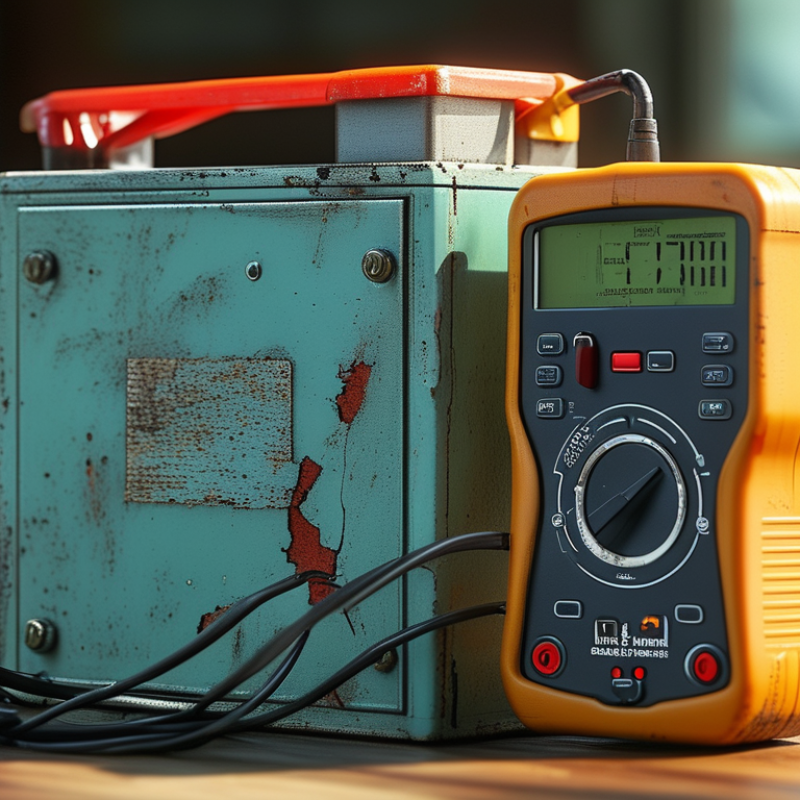
Testing battery health is essential to ensure reliability. Several tools can help you assess if a battery is still good. A multimeter is a valuable tool. It measures voltage, which indicates the battery's state. Make sure to set the multimeter to the appropriate voltage range. Connect the probes to the battery terminals. A voltage reading near the rated value signifies the battery is likely good.
Another tool to consider is a battery tester. These devices are straightforward to use. They provide a quick assessment of battery health. You simply insert the battery into the tester and read the results. However, it's crucial to follow the instructions closely. Misuse can lead to inaccurate readings.
In challenging situations, a load tester is useful. This tool applies a load to the battery while measuring its voltage. It helps determine how the battery performs under stress. However, not everyone has access to advanced equipment. Relying solely on visual inspections can be misleading. Corrosion and leaks may not always indicate failure. Regular testing and vigilance can prevent unexpected battery issues. This ensures that your devices remain functional when you need them most.
How to Test if a Battery Is Still Good and Reliable? - Essential Tools for Testing Battery Health
| Testing Tool |
Functionality |
Battery Type |
Test Results Interpretation |
| Multimeter |
Measures voltage output |
All types (AA, AAA, 9V) |
Voltage below rating may indicate wear |
| Battery Tester |
Checks battery health and charge |
Lead-acid, Lithium-ion |
Reading indicates if battery is good or needs replacement |
| Load Tester |
Simulates load to test capacity |
Lead-acid |
Inadequate performance under load indicates failure |
| Hydrometer |
Measures electrolyte specific gravity |
Lead-acid |
Values below normal range indicate deterioration |
| Smartphone App |
Provides info on battery health via software |
Smartphone batteries |
Reports overall health and charge cycles |
Visual Inspection: Signs of Battery Damage or Wear
A visual inspection is a crucial first step in determining if a battery is still reliable. Inspect the battery casing carefully for any dents, cracks, or bulges. These signs often indicate internal damage, which can compromise performance. If you see corrosion around the terminals, it's a clear red flag. Corrosion usually appears as a white or bluish powder. This not only affects connectivity but can also signal deeper issues.
Pay attention to the battery's age. Older batteries are more prone to failure, even if they appear intact. Look for any signs of leakage; any fluid escaping from the battery can lead to hazardous situations. Additionally, consider how the battery has been stored. Extreme temperatures can severely shorten battery life. A dirty battery should also raise concerns. Dust can trap moisture and lead to corrosion over time.
It's essential to examine these factors closely. Not every battery that looks good is still functional. Failure to recognize these signs might lead to unexpected failures. Having a reliable battery is crucial for safety and efficiency. Therefore, regular inspections are not just recommended; they are necessary.
Simple Techniques for Conducting a Battery Voltage Test
Testing a battery's reliability is crucial, especially for devices that depend on them. A simple battery voltage test can help determine if a battery is still good. According to industry reports, a healthy battery should show a voltage close to its rated value. For instance, a fully charged alkaline battery typically registers around 1.5 volts. If the reading drops to 1.3 volts or lower, the battery may be on its last legs.
To conduct a voltage test, use a multimeter. Start by setting the device to the DC voltage setting, ensuring proper contact with the battery terminals. Record the reading. If the voltage is significantly below the expected level, consider replacing the battery. Regular checks can prolong the lifespan of your devices. A study from the Consumer Electronics Association noted that frequent battery inspections can reduce unexpected device failures by over 30%.
Another technique involves the drop test. Hold the battery at a height of six inches above a solid surface and drop it. A good battery will land with minimal bounce, while a weak one will bounce high or even fall flat. This visual can be surprisingly effective for a quick evaluation. However, results can vary based on battery type and surface, so it's not entirely reliable. Thus, combining methods can provide a clearer picture of battery health.
Interpreting Test Results: Making Informed Decisions on Battery Use
Testing a battery’s reliability requires an understanding of various indicators. Industry reports highlight that over 25% of batteries tested daily are found to be unreliable. This statistic underscores the importance of regularly assessing battery health. Conduct tests to check voltage output and physical condition. A battery that drops below its rated voltage may not perform optimally for tasks at hand.
The interpretation of test results can often be cloudy. Experts suggest looking beyond just voltage readings. Consider factors like load capacity and charge cycles. A battery that performs well in initial tests could fail under prolonged use. According to a study by the Battery Institute, batteries with poor load responses tend to exhibit a significant decline in reliability. Thus, evaluating how a battery holds up during an actual load test is vital for making informed decisions.
It’s essential to recognize the limitations of testing methods. Some tests may not reflect true performance under extreme conditions. Batteries can degrade silently, and signs of deterioration might not be apparent immediately. Regularly scheduled tests can reveal trends over time, helping users anticipate failures before they occur. Understanding these nuances is key to making informed choices about battery use.
FAQS
: Use tools like a multimeter to measure voltage. A reading close to rated value indicates good health.
Inspect for dents, cracks, or bulges. Corrosion around terminals also signals potential problems.
Yes, older batteries tend to fail more, even if they look good from the outside.
It usually suggests deeper issues and can affect connectivity. Clear it before testing the battery.
Absolutely. High or low temperatures can shorten a battery's lifespan significantly.
A load tester applies stress to the battery and measures voltage. It's useful for assessing performance under load.
Regular inspections are necessary to prevent unexpected failures. Don't wait for signs to appear.
No, some batteries may look fine but still fail. Comprehensive testing is essential.
Ignoring issues can lead to sudden failures, impacting safety and device reliability.
Dust can trap moisture, leading to corrosion over time. Keep batteries clean for optimal performance.
Conclusion
Understanding how to test if a battery is still good and reliable is crucial for ensuring your devices function effectively. The article begins by discussing different battery types and their lifespans, helping readers understand what to expect from their batteries over time. Essential tools for testing battery health are detailed, enabling a thorough evaluation. The visual inspection section emphasizes looking for signs of damage, such as leaks or bulges, which can indicate a failing battery.
Simple techniques for conducting a voltage test are provided, guiding users on how to accurately measure battery performance. Finally, the article addresses how to interpret test results, allowing readers to make informed decisions about whether to continue using or replace their batteries. By following these steps, individuals can confidently assess their battery's reliability and ensure their devices remain powered.

 SK Battery